Fast answer: The best Ultra watch is usually decided by your phone, not by a single spec. Choose the latest Apple Watch Ultra if you use an iPhone and want the tighter app, safety, and fitness ecosystem. Choose the latest Galaxy Watch Ultra if you use a Samsung or Android phone and want longer claimed battery life, body-composition tools, and a lower starting price.
If you are switching phone platforms, the comparison becomes more interesting. This Galaxy Watch Ultra vs Apple Watch Ultra guide breaks down compatibility, battery life, health tracking, GPS, durability, comfort, and real ownership costs so you can buy the watch that fits your life—not the one with the loudest spec sheet.
Galaxy Watch Ultra vs Apple Watch Ultra: quick verdict
| Category | Galaxy Watch Ultra | Apple Watch Ultra |
|---|---|---|
| Best for | Samsung and Android owners | iPhone owners |
| Phone compatibility | Android; some features work best on Galaxy phones | iPhone only |
| Battery advantage | Longer manufacturer-rated endurance | Faster charging and strong low-power options |
| Health standout | Body composition and Samsung Health insights | Deep Apple Health integration and polished safety tools |
| Outdoor strengths | Dual-frequency GPS, 10 ATM rating, rugged case | Dual-frequency GPS, dive features, siren, rugged titanium case |
| Value | Usually the less expensive Ultra | Premium price, strongest fit for Apple ecosystem |
| Our verdict | Best premium Android smartwatch | Best premium iPhone smartwatch |
Bottom line: Do not buy either watch before checking compatibility. Apple Watch requires an iPhone. Galaxy Watch works with Android, but certain Samsung Health features may require a compatible Galaxy phone. That ecosystem lock-in matters more than small differences in screen brightness or storage.
Check current prices
Retail prices and discounts change frequently, so compare the latest offers for both watches before deciding.

![Apple Watch Ultra 3 [GPS + Cellular 49mm] Running & Multisport Smartwatch w/Rugged Titanium Case w/Black Ocean Band. Satellite Communications, Advanced Health & Fitness Tracking](https://m.media-amazon.com/images/I/71pdSpwZJiL._AC_SL520_.jpg)
Which models are we comparing?
This comparison focuses on the Samsung Galaxy Watch Ultra (2025), Titanium Gray, 47mm LTE and Apple Watch Ultra 3, the exact models currently featured in the product cards. Specifications, colors, bands, and regional features can vary, so confirm the listing details before buying.
Always confirm the exact generation in a product listing. Retailers may sell an older Ultra beside the newest model, sometimes with nearly identical photos. Check the model year, storage, cellular support, included band, warranty, and whether the device is new or refurbished before comparing prices.
1. Compatibility: the decision that comes first
The Apple Watch Ultra is built for the iPhone and does not pair with Android phones. Its best features depend on Apple services such as Apple Health, Fitness, Maps, Wallet, Find My, and the App Store. If you already use AirPods, Apple Pay, Apple Fitness+, or a Mac, the watch feels like an extension of that setup.
The Galaxy Watch Ultra uses Wear OS and pairs with compatible Android phones through Galaxy Wearable and Samsung Health. Basic functions extend beyond Samsung phones, but some advanced health or ecosystem features can be limited by phone brand, country, carrier, or regulatory approval. Galaxy phone owners get the cleanest experience.
- Own an iPhone? Apple Watch Ultra is the sensible choice.
- Own a Galaxy phone? Galaxy Watch Ultra is the natural match.
- Own another Android phone? Galaxy Watch Ultra can work, but verify feature compatibility first.
- Planning to switch phones soon? Choose the phone ecosystem before the watch.
If you are comparing more Android options, our guide to choosing a smartwatch for Android covers the broader field. If cellular independence matters, check whether a smartwatch needs a data plan before buying.
2. Design, display, and everyday comfort
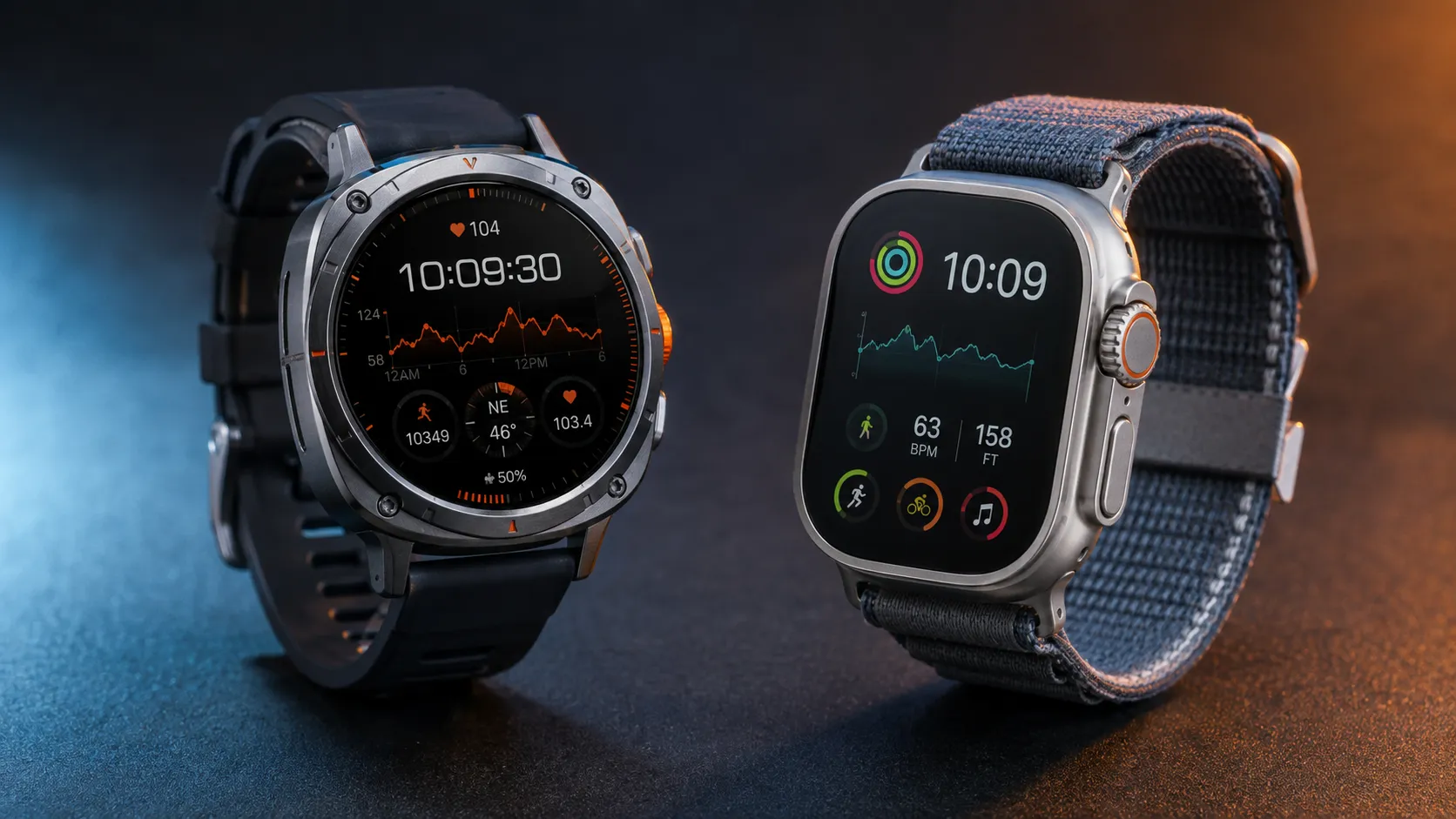
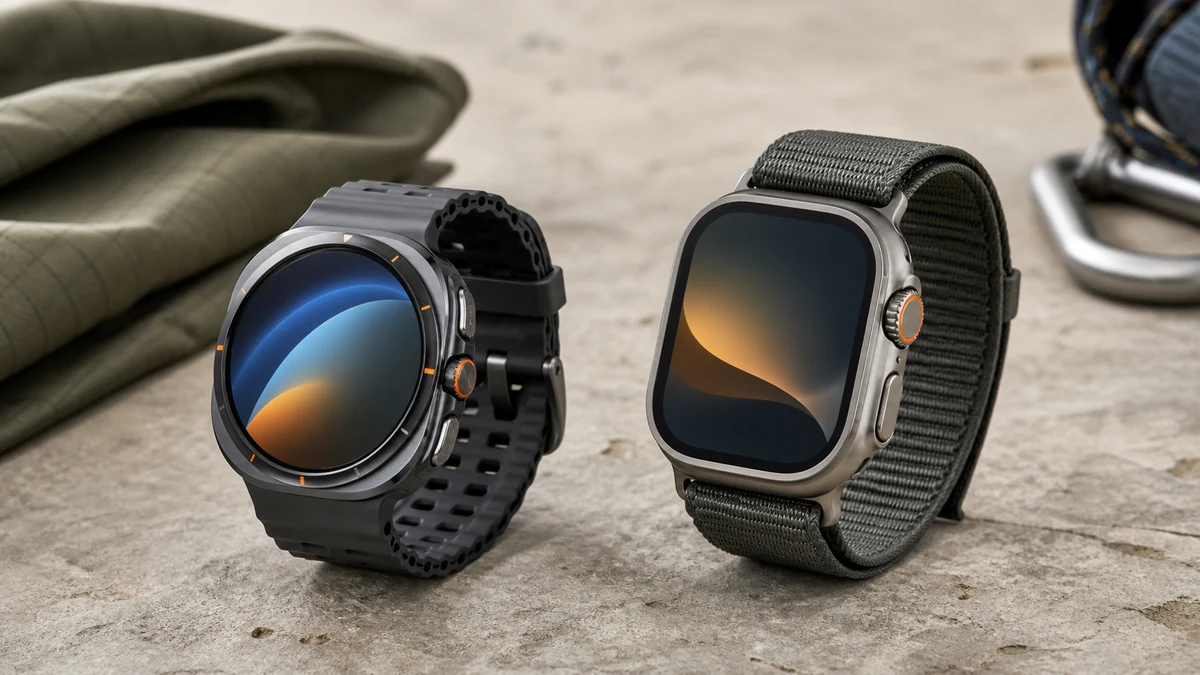
Both watches are deliberately large. Samsung uses a round display inside a cushion-shaped titanium case, while Apple keeps its rectangular screen and prominent Digital Crown. Neither disappears under a fitted shirt cuff, and both can feel bulky during sleep if you have a smaller wrist.
The Apple design makes lists, notifications, and maps easy to scan because the rectangular screen uses space efficiently. Samsung’s round display looks more like a traditional watch and works well with circular watch faces. Preference here is personal, so try the case size on your wrist if possible.
Buttons and controls
Apple combines a touchscreen, side button, Digital Crown, and customizable Action button. The crown remains excellent for scrolling with gloves or wet fingers. Samsung offers a touchscreen, side keys, a customizable Quick Button, and a digital touch bezel rather than the physical rotating bezel found on some Galaxy Watch Classic models.
3. Battery life and charging
Galaxy Watch Ultra has the on-paper endurance advantage. Samsung rates its large battery for multi-day use depending on the display, GPS, LTE, health tracking, and power-saving settings. Apple rates its Ultra for shorter normal use, with extended endurance available through Low Power Mode.
Real battery life is highly personal. Long GPS workouts, LTE calls, navigation, music streaming, always-on display, sleep tracking, and poor cellular signal can shorten either estimate. Apple partly offsets its lower endurance with fast charging, which is useful if you charge while showering or getting ready.
Battery winner: Galaxy Watch Ultra for fewer charging sessions. Apple Watch Ultra remains practical if fast top-ups fit your routine.
4. Fitness tracking and GPS
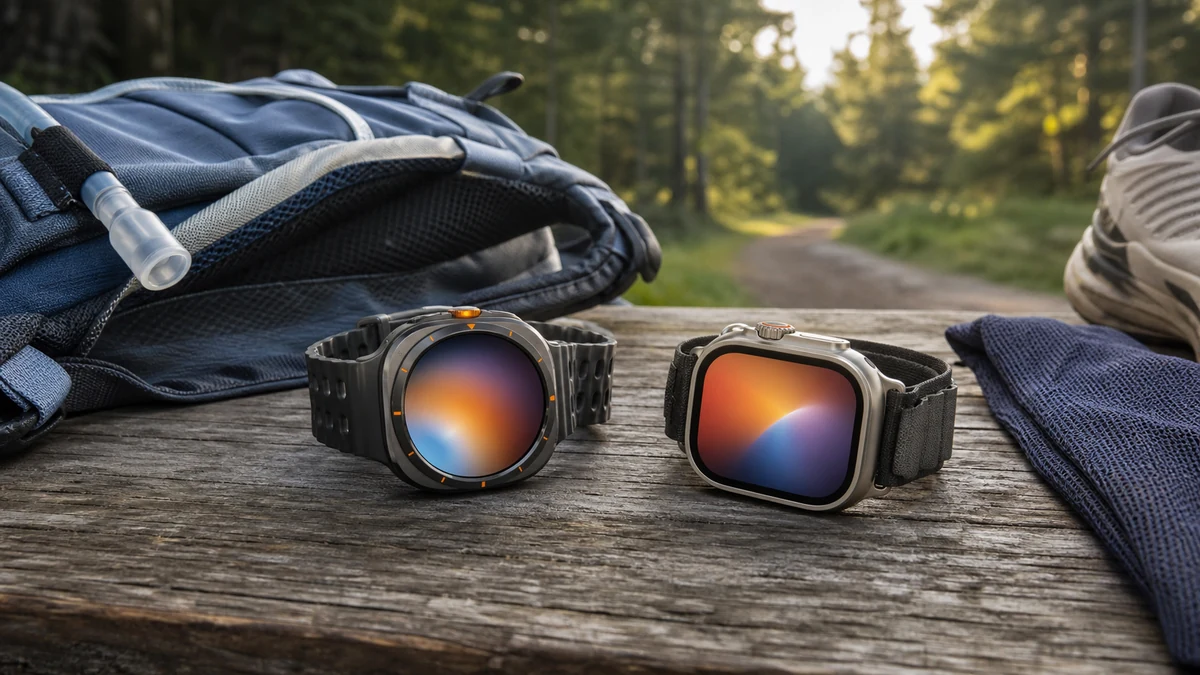
Both Ultra watches target runners, cyclists, hikers, and people who train outdoors. Both offer dual-frequency GPS, heart-rate zones, route tracking, elevation data, recovery-related insights, and programmable workout controls. GPS accuracy can vary by activity, wrist fit, terrain, and software version.
Apple Watch Ultra strengths
- Polished workout interface and strong third-party fitness app support
- Accurate dual-frequency GPS for dense cities and wooded routes
- Action button for precision starts, segments, and shortcuts
- Depth gauge and recreational diving features on supported models
- Tight integration with Apple Fitness and Apple Health
Galaxy Watch Ultra strengths
- Dual-frequency GPS and route guidance
- Samsung Health coaching, sleep, and energy insights
- Body-composition estimates from the wrist
- Customizable Quick Button for workouts
- Longer battery headroom for extended tracking
Serious endurance athletes should also consider how Garmin vs Fitbit approaches training metrics and recovery. Before choosing, see what a smartwatch actually does. A rugged smartwatch offers excellent daily convenience, but a specialist sports watch may deliver longer GPS battery life and deeper training analytics.
5. Health and safety features
Both families can track heart rate, sleep, blood oxygen where supported, ECG where approved, and temperature-related trends. Availability depends on model, country, age, paired phone, and local regulatory clearance. These watches are wellness tools, not replacements for professional diagnosis or medical devices. If blood-pressure tracking matters to you, read our guide to smartwatch blood-pressure measurements.
Samsung stands out for body-composition estimates and its broad Samsung Health dashboard. Apple stands out for polished trend presentation, third-party health app connections, and safety features such as Emergency SOS, fall detection, crash detection, and a loud siren on Ultra models. Samsung also offers SOS and fall detection, but setup and behavior differ.
Before relying on an emergency feature, configure your emergency contacts and test the non-emergency settings. Cellular, satellite, roaming, and emergency calling availability vary by location and plan.
6. Apps, payments, and smart features
Apple’s watchOS has a mature selection of watch apps and seamless links to iMessage, Apple Pay, Siri, Maps, podcasts, music, and Find My. It is the stronger choice if your daily workflow already lives in Apple services.
Samsung combines Wear OS apps with Google services and Samsung’s own tools. Google Maps, Wallet, Assistant options, Spotify, and Play Store apps give Android owners plenty of flexibility. Galaxy users also benefit from camera controls, SmartThings, Samsung Wallet, and phone-to-watch continuity.
7. Durability, swimming, and outdoor use
Both watches use titanium, tough cover glass, water resistance, dust protection, and testing aligned with rugged-use standards. That does not make either indestructible. Water resistance can decline over time, and impacts, chemicals, high-velocity water, extreme heat, and damaged seals can affect protection.
Apple Watch Ultra is the clearer choice for recreational scuba features because supported models include a depth gauge and dive-focused software. Galaxy Watch Ultra is built for swimming and rugged outdoor workouts, but buyers should follow Samsung’s exact water-use guidance rather than treating a 10 ATM rating as permission for every water activity.
8. Price and total cost of ownership
The Galaxy Watch Ultra generally starts below the Apple Watch Ultra, and Samsung discounts are often more aggressive. Apple holds a premium starting price, though trade-ins and older-generation deals can narrow the gap. Compare like for like: new condition, cellular capability, warranty, band, charger, storage, and generation.
Remember the ongoing costs. LTE service can add a monthly carrier fee, premium workout apps may require subscriptions, and extra bands or chargers add to the real price. A cheaper watch is not better value if it pushes you into a phone ecosystem you do not want.
Who should buy the Galaxy Watch Ultra?
- You use a Samsung Galaxy or compatible Android phone.
- You prioritize longer battery life over the fastest charging.
- You want Samsung Health, body composition, and Android app flexibility.
- You prefer a round display and rugged cushion-style case.
- You want premium outdoor features at a lower starting price.
Skip it if you use an iPhone, have a very small wrist, or need Apple-only services. Non-Samsung Android owners should verify every must-have health feature before buying.
Who should buy the Apple Watch Ultra?
- You use an iPhone and want the deepest ecosystem integration.
- You value polished apps, safety tools, and third-party fitness support.
- You want dive features, the Digital Crown, and the Action button.
- You prefer fast charging and can accept shorter normal battery life.
- You already use Apple Health, Fitness, Pay, Maps, or Find My.
Skip it if you use Android, want the lowest price, or need several days between charges without changing settings.
Common buying mistakes to avoid
- Ignoring phone compatibility. It is the first filter, not a minor detail.
- Comparing manufacturer battery numbers as if tests were identical. Settings and test methods differ.
- Buying the wrong generation. Similar names and photos can hide older hardware.
- Assuming every health feature works everywhere. Check region, phone, age, and regulatory requirements.
- Overlooking case size. Try the watch or compare its dimensions with one you already own.
- Treating water resistance as permanent. Follow the manufacturer’s care and activity guidance.
Frequently Asked Questions
Can Galaxy Watch Ultra connect to an iPhone?
No. Current Galaxy Watch Ultra models use Wear OS and are designed for compatible Android phones. iPhone owners should choose an Apple Watch or another wearable that explicitly supports iOS.
Can Apple Watch Ultra connect to Samsung phones?
No. Apple Watch setup requires a compatible iPhone. It cannot be fully paired and used as an Android smartwatch with a Samsung phone.
Which Ultra watch has better battery life?
Galaxy Watch Ultra has the stronger manufacturer-rated normal-use endurance. Apple Watch Ultra charges faster and can extend runtime with Low Power Mode, but most buyers who prioritize fewer charging sessions will prefer Samsung.
Which is better for running?
Both are capable running watches with dual-frequency GPS, heart-rate zones, workout customization, and detailed metrics. Apple has a slight edge in app depth and interface polish; Samsung offers more battery headroom and strong Samsung Health coaching.
Which is better for sleep tracking?
Samsung’s longer battery life makes overnight tracking easier, while Apple provides polished sleep data inside its health ecosystem. Comfort may decide it: both watches are large, so a smaller wearable can be easier to sleep in.
Is the Apple Watch Ultra worth the extra money?
For an iPhone owner who will use its safety, fitness, navigation, cellular, and app features, it can be. For someone who only wants notifications and basic activity tracking, a less expensive Apple Watch is usually the better value.
Final verdict
In the Galaxy Watch Ultra vs Apple Watch Ultra matchup, there is no universal winner because the watches serve different phone ecosystems. The Galaxy Watch Ultra is the best premium choice for most Android and especially Samsung Galaxy owners, thanks to its battery advantage, health toolkit, and value. The Apple Watch Ultra is the best premium choice for iPhone owners, with stronger ecosystem integration, polished apps, safety features, and outdoor depth.
Choose based on your phone, wrist comfort, battery routine, and the two or three features you will actually use every week. That approach will save you more regret than chasing whichever Ultra has the newest headline specification.
Sources and further reading: Samsung Galaxy Watch Ultra, Apple Watch Ultra technical specifications, and Apple Watch comparison tool.