What does a smartwatch do? It puts useful phone features and activity tracking on your wrist: notifications, calls, workouts, health trends, navigation, music, payments, and everyday reminders. The main benefit is convenience. You can check a message or record a walk without repeatedly reaching for your phone.
Not every watch does all of these things. Some mainly display phone alerts and count steps; others run apps and connect to cellular networks. This guide explains the differences that matter, including what works without a phone and which features need extra hardware, setup, or a subscription.
What Does a Smartwatch Do? Features at a Glance
| Feature | Everyday use | What to check |
|---|---|---|
| Notifications and calls | Read alerts and handle short conversations | Reply support, microphone, speaker, and phone connection |
| Fitness tracking | Record walks, workouts, steps, and heart-rate trends | Supported activities and built-in versus phone GPS |
| Health and sleep | Follow changes in sleep and other supported metrics | Model, region, eligibility, and measurement limits |
| Navigation | See directions or follow a saved route | Maps, offline downloads, and navigation support |
| Music and audio | Control your phone or listen from the watch | Storage, headphones, service, and download support |
| Payments and daily tools | Pay at a terminal, set timers, and check reminders | Compatible wallet, bank, apps, and connectivity |
| Safety features | Request help or alert contacts on supported models | Setup, coverage, battery, and service requirements |
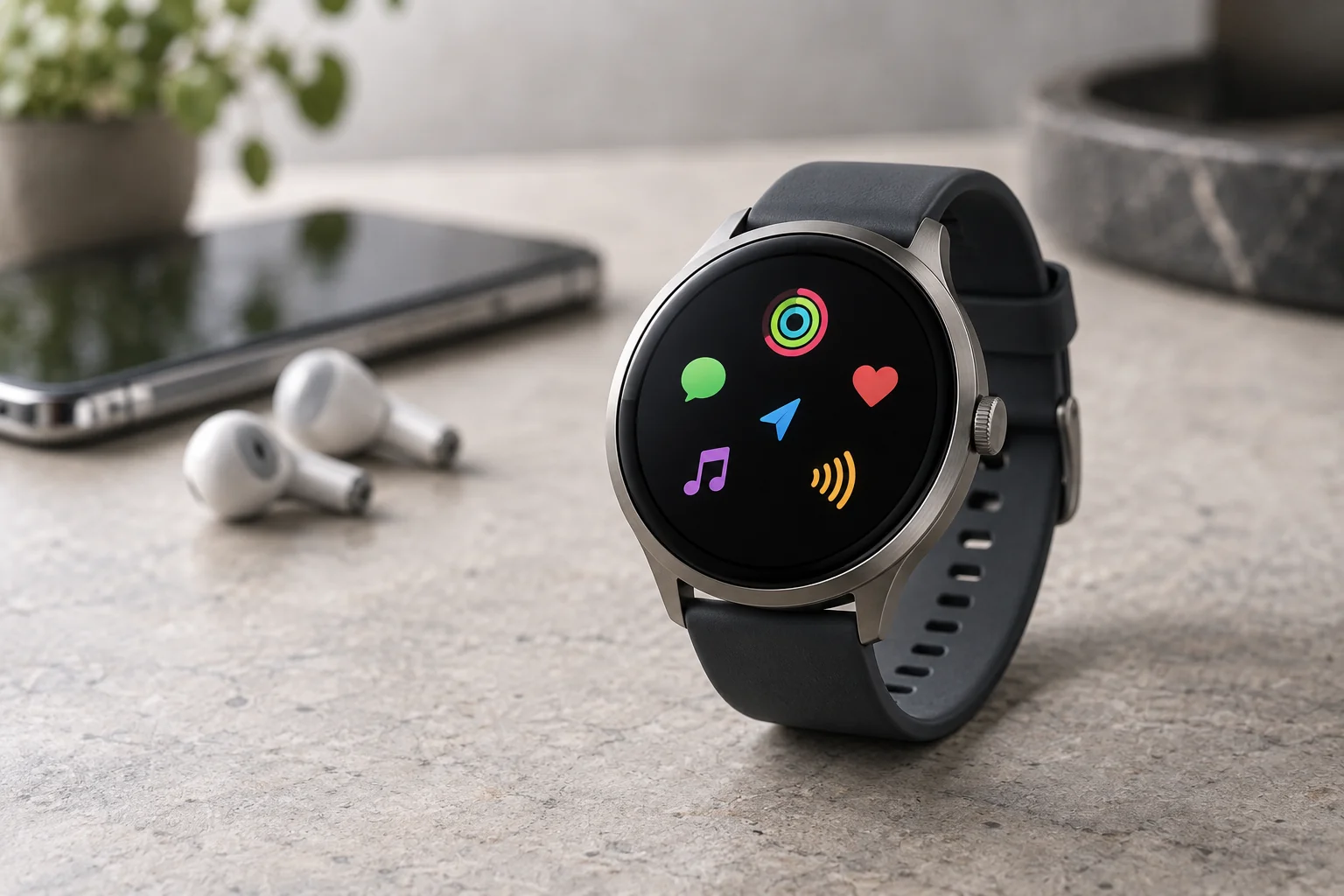
Seven Useful Smartwatch Features Explained
1. Check Notifications, Calls, and Messages
A smartwatch can show an incoming call, delivery alert, text, or calendar reminder. A quick glance helps you decide whether something needs your attention. Choosing which apps can notify you is often more useful than sending every phone alert to your wrist.
Reading a message is different from replying. Depending on the watch and phone, you may get preset replies, voice dictation, a small keyboard, or no reply option at all. Answering a call on the watch also requires suitable audio hardware or supported headphones; a call notification alone does not guarantee wrist calling.
2. Record Exercise and Daily Activity
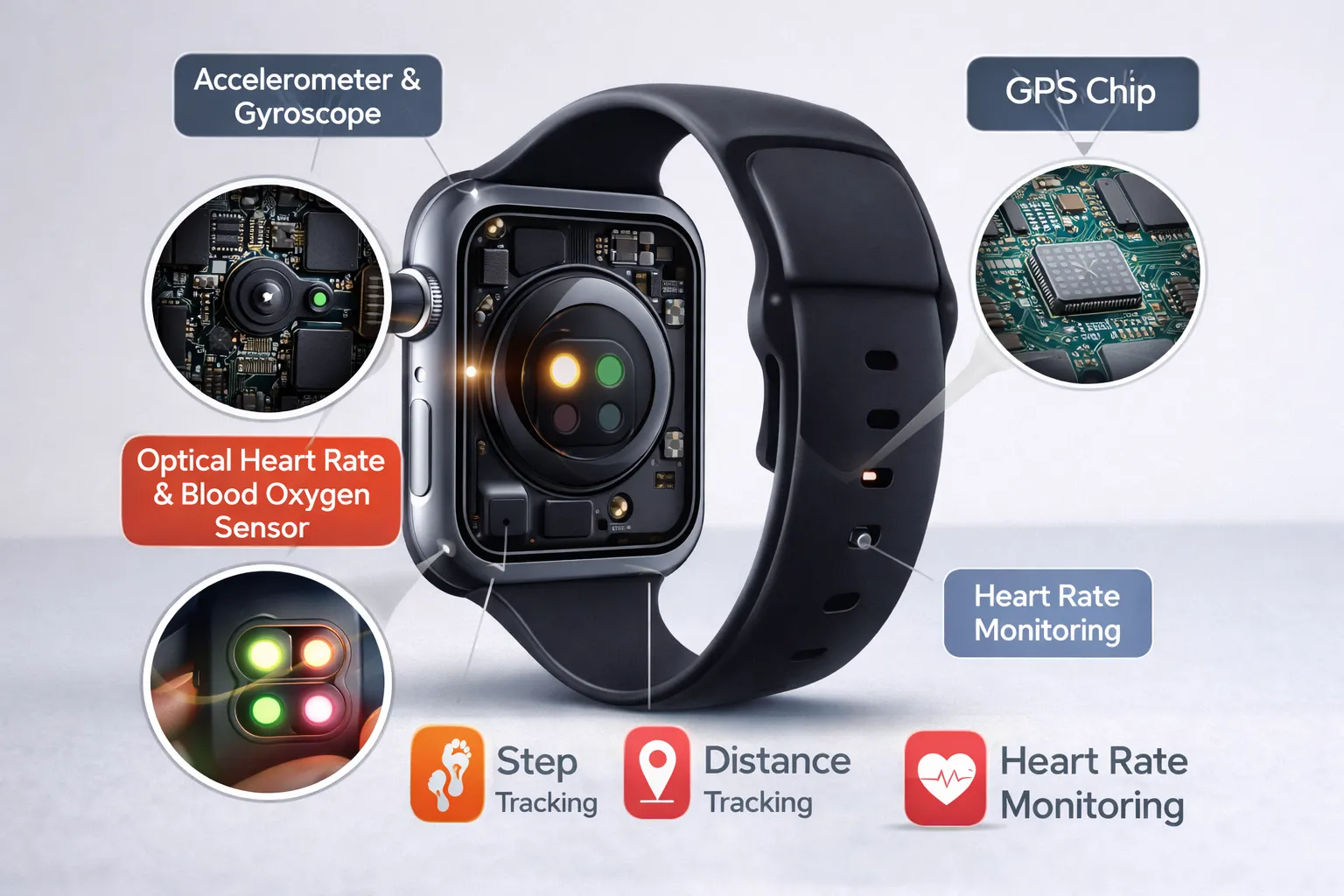
Activity tracking can help you compare today’s movement with your usual routine. Common measurements include steps, workout duration, heart rate, and estimated calorie expenditure. Outdoor distance and pace may use built-in GPS or location data from a connected phone.
More specialized watches add structured workouts, recovery guidance, external-sensor support, and detailed sport metrics. A beginner may get more value from a clear walking goal than from advanced training charts. Our Garmin vs Fitbit comparison explains how different wearable platforms approach training and everyday wellness.
3. Follow Health and Sleep Trends
Many watches estimate sleep duration and stages and record heart-rate trends. Selected devices also offer ECG recordings, blood-oxygen information, temperature trends, or other health features. Availability can depend on the exact model, age, country, phone, and software—not just the brand name.
Use these readings to notice patterns rather than diagnose yourself. A loose strap, movement, or inconsistent wear can affect the data. The FDA warns against unauthorized blood-pressure devices, including wearable features that claim to measure it. Check authorization for the exact device and intended use; our guide to smartwatch blood-pressure measurement explains the distinction.
4. Record Routes and Help You Navigate
Built-in GPS lets a compatible watch determine its location without borrowing the phone’s GPS. This is useful for recording a run or walk. However, recording a route is different from displaying a map or giving turn-by-turn directions.
If you want navigation away from your phone, check whether the watch supports saved courses, offline maps, or only directions supplied by a phone app. Download anything needed before leaving. GPS does not provide a mobile-data connection or guarantee that you can call for help.
5. Control Music or Play Downloaded Audio
Basic music controls let you pause a song, skip tracks, or adjust audio playing on your phone. Offline playback is a separate feature: the watch needs compatible storage and an app or file-transfer method that supports downloads.
For a phone-free workout, confirm that your preferred audio service works on the watch and whether downloads require a paid plan. Pair your headphones and try playback before leaving home. Streaming instead of downloading needs a suitable internet connection and can increase battery use.
6. Pay, Set Reminders, and Use Everyday Apps
Timers, alarms, weather, calendar alerts, and a phone-finding function can be the tools you use most. Some watches also support voice assistants, smart-home controls, tickets, or third-party apps. Check the watch’s app catalog rather than assuming every phone app has a wrist version.
Contactless payments require a supported wallet and payment card, not merely an NFC chip. Google’s smartwatch payment guide lists requirements including a supported device, country, bank, and screen lock. Add and test the card before relying on the watch as your only payment method.
7. Access Safety and Emergency Tools
Supported models may offer emergency calling, fall detection, location sharing, or alerts to emergency contacts. These functions need setup, and their connection requirements differ. A Bluetooth-only watch may need a nearby phone; other models can use compatible Wi-Fi, cellular service, or a separately supported satellite feature.
Do not assume an emergency feature works everywhere or detects every incident. Apple’s Fall Detection guidance explains that falls can be missed and high-impact activity can trigger an alert. Review your model’s instructions, add emergency contacts, and understand coverage limits before depending on it.
What Works Without Your Phone?
A smartwatch can remain useful when disconnected, but “without your phone nearby” and “without internet” are different situations. Bluetooth connects it to a nearby phone. Wi-Fi can provide internet within a network’s coverage. Cellular adds another connection option on compatible models, usually with a carrier plan.
| Situation | What may still work | Main limitation |
|---|---|---|
| Phone nearby and connected | Alerts, syncing, supported calls, and connected apps | Phone permissions and compatibility still matter |
| No phone or internet connection | Time, alarms, stored workouts, supported sensors, and downloaded audio | No fresh online information; features vary by model |
| Phone away, watch on Wi-Fi | Supported online apps, messaging, and calling | Network and account requirements apply |
| Cellular watch with service | Supported calls, messages, and streaming away from Wi-Fi | Coverage, plan costs, and battery use |
For example, Apple lists offline functions and connection requirements separately. It also notes that some messages and third-party notifications require the paired iPhone to remain powered on and online, even when it is elsewhere. Check your exact watch rather than interpreting “cellular” as complete phone independence.
You do not normally need a monthly cellular plan just to use activity tracking or Bluetooth features. Read whether a smartwatch needs a data plan before paying for connectivity you may rarely use.

Smartwatch, Fitness Tracker, or Traditional Watch?
These categories overlap. A fitness tracker usually emphasizes activity and wellness in a smaller device, but it may also show notifications or support payments. A smartwatch generally offers more interaction through its display and apps, while a sports watch may prioritize training, controls, and navigation.
A traditional watch makes sense if you mainly want timekeeping and prefer fewer distractions. A smartphone remains better for long messages, browsing, photography, and detailed work. Think of a smartwatch as a convenient companion for short tasks, not an automatic phone replacement.
Before Buying: Check These Five Things
- Your phone: Confirm the supported operating system and minimum version. Check any features restricted to particular phones.
- Your three main uses: Decide whether you care most about notifications, exercise, sleep, music, or phone-free calls. Buy for those needs first.
- Charging and comfort: Compare ordinary use with GPS or cellular runtime. A watch you cannot comfortably wear overnight will not provide consistent sleep records.
- Apps and total cost: Check essential apps, optional subscriptions, cellular charges, straps, and replacement chargers.
- Durability and support: Read the manufacturer’s activity-specific water-resistance guidance and software-support policy. A depth rating is not blanket permission for every water activity.
If you use Android and are ready to compare models, our Android smartwatch buying guide provides a next step. Start with compatibility and the features you will actually use; the longest specification list does not necessarily make the best purchase.
A Simple First-Day Setup
- Charge the watch and pair it through the manufacturer’s recommended companion app.
- Install available updates and review account, location, and health-data permissions.
- Choose a few useful notifications instead of mirroring every alert.
- Set a comfortable fit, a readable watch face, and the activities you use most.
- Configure supported emergency tools, then check how payments, audio, and navigation work before leaving your phone behind.
Review privacy settings in both the watch and companion app. Decide whether message previews should appear on your wrist and which services may receive your activity or location history. These choices help keep the device useful without turning it into another source of interruptions.
Frequently Asked Questions
What is the point of having a smartwatch?
It makes small tasks quicker and tracks activity while you wear it. The benefit is greatest when wrist alerts, workouts, reminders, or sleep trends fit your routine. If you would ignore those features or dislike frequent charging, you may not need one.
Do you have to pay a monthly fee for a smartwatch?
Usually not for basic timekeeping, activity tracking, or Bluetooth use. Cellular service and some apps, audio downloads, or coaching features can cost extra. Check which functions remain available without a subscription before buying.
What are the disadvantages of a smartwatch?
Common drawbacks include charging, a small screen, extra notifications, phone restrictions, and optional recurring costs. Sensor readings also have limits. Comfort and a manageable charging routine often matter more than an impressive list of features.
Can smartwatches detect atrial fibrillation?
Some authorized features can identify signs of possible atrial fibrillation, subject to device and eligibility limits. They do not detect every episode or replace a clinical assessment. Apple’s heart-health guidance also makes clear that its watch cannot detect a heart attack. Seek medical advice about an alert or symptoms rather than relying on a normal watch result.
Can you use a smartwatch without owning a smartphone?
Many watches still require a compatible phone for setup or management, even if they work independently afterward. Some offer special family setup arrangements, which can have different feature limits. Verify the exact setup requirements before buying for someone who has no smartphone.
Final Takeaway
A smartwatch is most useful when it removes small inconveniences: checking an important message, recording exercise, following directions, or setting a reminder. Choose for your phone and daily habits, and verify the features you need. You do not need the most expensive watch to benefit from a few well-chosen tools.
Sources and Further Reading
This explainer is based on manufacturer support documents and regulatory guidance, not hands-on product testing. Features and service terms change, so check the exact model before you buy.
- Apple — what works on Apple Watch without your iPhone nearby
- Apple — Fall Detection guidance
- Apple — heart-health features and their limits
- Google — paying with a smartwatch (Google Wallet)
- FDA — safety communication on unauthorized blood-pressure devices
- Samsung — manufacturer overview of smartwatch features